
Conference videography Queenstown organisers can actually use
By Dave Maguire, FanCast Productions
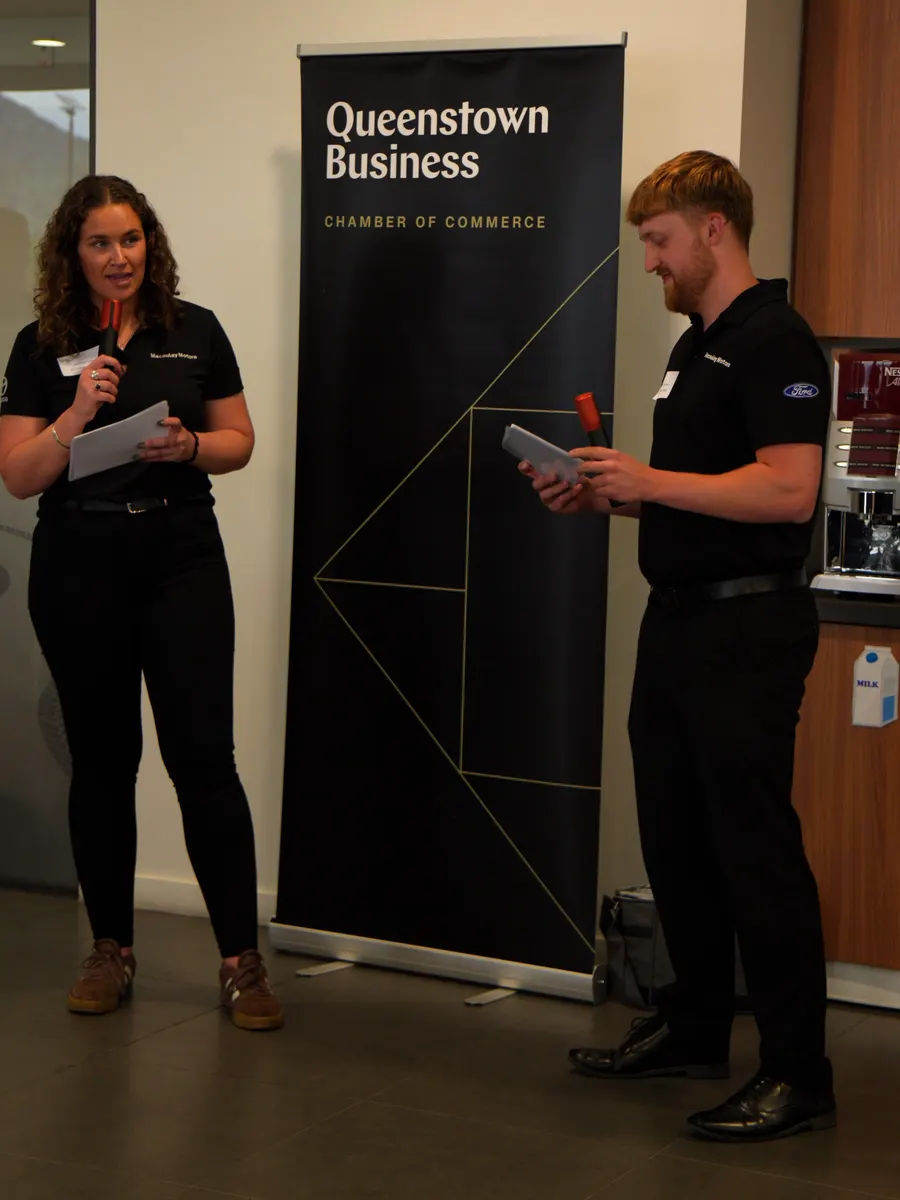
A conference is one of the easier things we film and one of the easiest to waste. The room is already lit, the running order is written down a month ahead, and nobody is going to get rained on. When the video disappoints, it is almost never the filming. It is that nobody decided what the footage was for, so it arrives a few weeks later as an hour of someone at a lectern and sits on a drive.
Queenstown gets a lot of this work because companies fly their people here to meet. A conference here is usually one part of a week: a keynote, breakout sessions, a dinner, an activity afternoon, and a group of people who will be on a plane home by Friday. That shapes how we plan corporate video for it, and it is why the decisions below are worth making while the programme is still a draft.
Decide what the footage is for before you book the crew
Four different jobs hide inside the phrase "film the conference", and they want different things from the day.
- A promo for next year. A two to three minute film built from the room full, the faces, the breaks and the activity day. It needs movement and cutaways far more than it needs complete speeches.
- Session recordings people watch later. Clean audio and a steady wide shot held for the whole session, for every session you want to keep. Unglamorous, and the thing most often missed.
- Social cuts while the event is still on. Someone offloading and editing on site, with vertical framing decided during filming rather than cropped out of a wide shot afterwards.
- A live stream. A separate production with switching, graphics and a connection that has been tested, not an extra task for the camera operator.
Choosing two of those four is normal. Choosing all four and booking a single operator is where it goes wrong.
When we filmed a three hour industry workshop in Melbourne for Porous Lane, the company that licenses the University of Melbourne's permeable pavement technology, they picked two: full recordings of every talk for their own team to edit, and a highlights film to promote the next one. Because that was settled before the day, the plan was simple. A front camera and a side camera on the speakers for the whole session, with the cleaned up audio and all of the footage delivered that same night so their editing could start straight away.
"I had the opportunity to work with Dave recently. He really went above and beyond to cover our corporate presentation. The turnaround has also been quite quicker than most services I've worked in the past. Highly recommend FanCast Productions."
Ash Pawar, Porous Lane, Google review
The sound desk feed matters more than the second camera
If we could have only one thing from your AV supplier, it would be a feed from the sound desk. A camera microphone at the back of a function room picks up the PA, the air conditioning and the table nearest to it, in roughly that order. A desk feed gives you the speaker as the room heard them.
Worth asking your AV company for, a fortnight out rather than on the morning:
- A post-fader mix of the room, on XLR, going into our recorder as well as the PA.
- A radio microphone on the MC, because the MC links the whole programme together in the edit.
- At least one roaming microphone for audience questions. Without it the answers in your recording are replies to a question nobody can hear.
- The name and number of the technician who will actually be in the room on the day.
We record a safety track on the cameras regardless, so a feed that fails mid-session does not lose the session. And if there is no PA at all, say a board meeting of twenty in a hotel meeting room, skip all of this and put a lapel microphone on whoever is speaking. That was the whole audio plan for the five executive messages we filmed in one meeting room at QT Queenstown.
Breakouts force a choice, so make it early
Say you are running a two day conference at a lakefront hotel: 180 people, a keynote in the main room each morning, and three parallel breakout streams after lunch. One crew cannot be in three rooms at once, and that is a programming problem more than a filming one.
There are three honest answers. Lock an unattended camera in each breakout room, which is fine for session recordings and dull for anything cut to music. Keep the crew on the main room and the corridors, and accept that the breakouts are not covered. Or pick the two breakout sessions that genuinely matter and schedule them so they do not clash, which takes nothing but a conversation while the agenda is still movable.
The third is almost always best, and it is only available early.
Cameras that hold a whole session need power for the whole session
A locked off camera recording a three hour session will outlast a battery, and nobody notices it has stopped until the edit. Run any camera that holds a session on mains power, or schedule battery swaps into the breaks and give one person the job of doing them. Ask the venue where the nearest powerpoint is to each camera position when you book the room, not when you arrive.
It is also why we shoot sessions in 4K. If one angle is ever lost, to a battery, a bumped tripod or someone standing in front of the lens, the edit can cut between a wide and a tighter crop of the remaining camera and the talk still plays as two angles.
Slides and screens need their own plan
Pointing a camera at the screen in the room gives you a dim, keystoned rectangle with a flicker across it. Ask instead for a feed of the program output into a recorder, so the edit can cut between the speaker and what the audience was looking at. Most AV suppliers can do that if they know before they rig.
Then decide what can be published. Conference decks routinely contain a client list, a roadmap or an unreleased number that was fine for the room and not for YouTube. Ask each speaker to flag those slides in advance. It is a two line email before the event and a frame by frame hunt afterwards.
Sort permission before the speaker walks on
Filming people collects information about them, and in New Zealand that sits under the Privacy Act 2020 and its information privacy principles, which cover having a purpose for collecting, collecting from the person where you can, and telling them what you are collecting it for. The Office of the Privacy Commissioner publishes the principles in full. Treat that as the framework and confirm what your event needs with their current guidance or your own adviser, not with us.
In practice it comes down to three things. Put a line in the registration terms and signage at the door so attendees know filming is happening and can tell someone if they would rather not be in it. Agree with each speaker, in writing, what may be published and where, because a speaker happy to be recorded for internal use is not always happy to be on a public channel. And remember the audience member who stands up to ask a question: they are now in your recording, so the MC should say so before questions open.
Music is the quiet one. Whatever plays in the room is in your recording, including walk-on tracks and the playlist over lunch. Tell us what is being played and we will plan around it, or expect to hear something else under those shots in the edit.
A live stream is worth it when there is a real remote audience
Often there is not, and we will say so. If a dozen people could not travel, they will almost always rather have tidy session recordings next week than sit at their desks watching a feed in real time. Streaming to an empty room is effort spent on the wrong half of the job.
It earns its place when attendance has to be live: an AGM or a results announcement, a genuinely hybrid audience, sponsors who were promised reach, or colleagues in another time zone. When that is the case, event live streaming needs a wired or dedicated connection tested on the recce rather than the guest Wi-Fi, a backup path, audio taken separately rather than off a camera, and a full quality recording made on site so a dropout costs you a few minutes of stream and none of the session.
Same week social is a decision made on the day, not after it
Clips that go out while people are still in town do more than clips that go out a month later, but they have to be planned into the shoot. That means cards coming off the cameras during the breaks, an editor with somewhere to work, vertical framing chosen while filming, subtitles because most of it is watched on mute, and one named person who can approve a cut inside an hour. Decide that last one early: the approval chain holds up more same week clips than the edit does.
The longer film can take its time. Most highlight edits are turned around within 5 to 10 business days, and a well covered event ends up selling the next one.
Almost all of this is settled in the fortnight before the doors open. Our event video checklist covers the general ground for any event, and the event videography page shows what coverage looks like at different scales. If you have a date and a draft programme, send them to us and we will tell you what it would take to cover properly.